
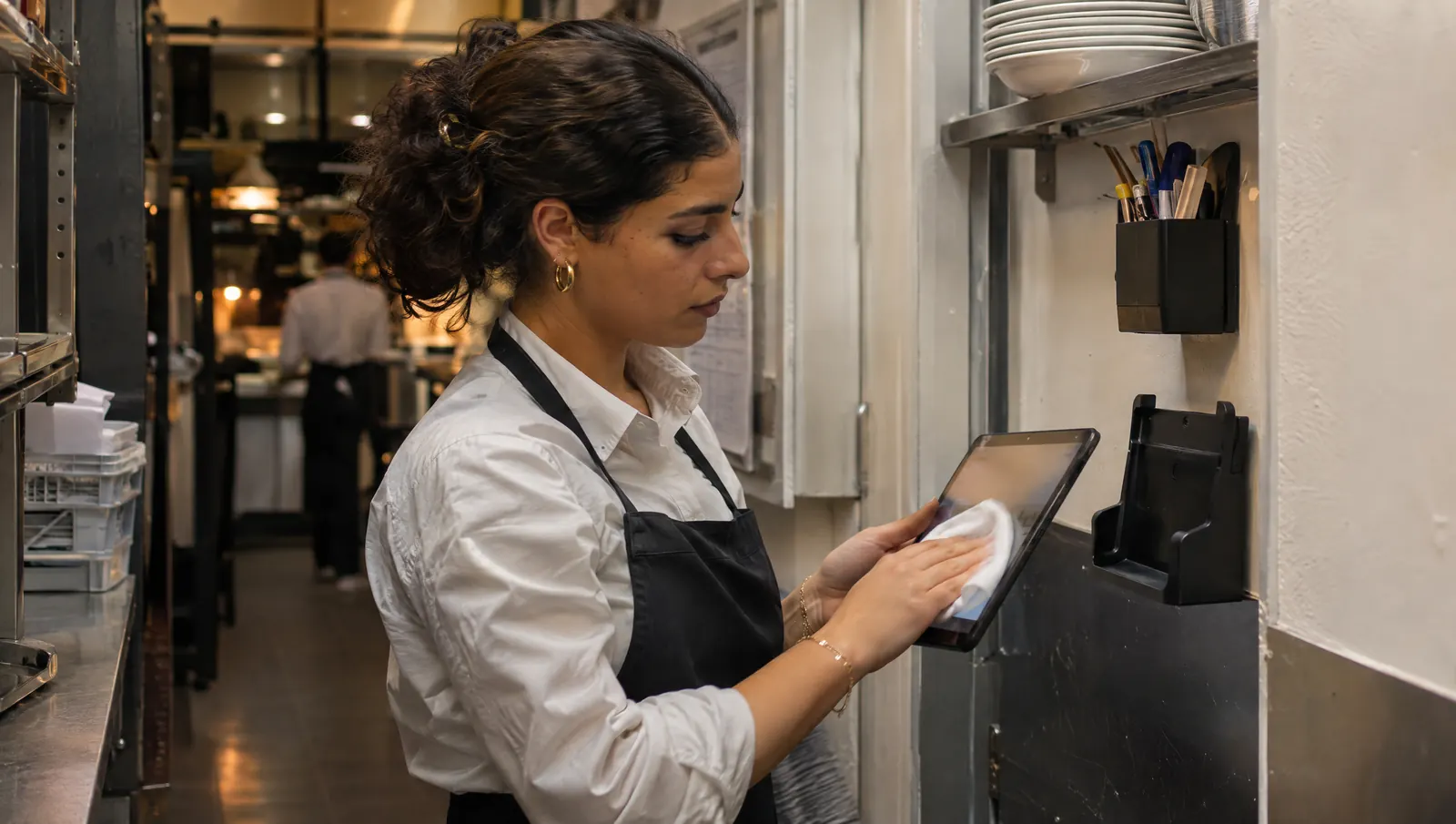
Any equipment that changes hands in a kitchen (wall tablet, service phone, touchscreen, probe thermometer, earpiece) gets cleaned at a set time, with a suitable product, by a named person. What touches food is cleaned and sanitized between uses. What is worn against the ear stays personal. And nobody touches a screen with gloves that have just handled raw meat.
Tuesday, 3:10 p.m., after lunch service
Ahmed is wiping down the pass. The wall tablet is still on: a greasy smear across the screen, a dusting of flour in one corner. This morning six people touched it to clock in, tick the opening checklist and enter temperature readings. Nobody wiped it.
Danielle, the manager, comes back from the storeroom holding the probe thermometer. She stops. The case is empty; the probe was lying next to the cutting board. She has no idea whether it was cleaned after the chicken check.
Neither of them did anything seriously wrong. These objects simply belong to no one, so no one looks after them.
(Ahmed, Danielle and their restaurant are fictional.)
Why shared equipment is the forgotten link
It goes from a dirty hand to a clean one
In a kitchen, hands move from raw meat to vegetables to fridge handles to screens. The screen keeps what it is given and passes it on to the next person. It is the most ordinary kind of cross-contamination, the kind that travels through an object rather than through food.
Gloves give a false sense of safety
A glove protects the food as long as it only touches the food. The moment it touches a screen, a handle or a phone, it becomes one more dirty surface. The useful habit is simple: check the screen before you glove up, or change gloves after touching it.
Nobody wants to wear someone else's earpiece
Beyond the risk, there is discomfort. Many employees rightly refuse to put against their ear what a colleague wore the day before. Equipment the team considers dirty will not be used, or it will be used reluctantly.
What is written nowhere is done by no one
A kitchen cleaning schedule usually covers counters, floors and fridges. It often forgets the tablet, the service phone and the probe. Without a written line, a time and a name, this cleaning depends on goodwill.
What the rules say
Under EU law, Regulation (EC) No 852/2004 on the hygiene of foodstuffs sets the framework. Its Annex II, Chapter VIII, on personal hygiene, requires everyone working in a food-handling area to maintain a high degree of personal cleanliness and to wear suitable, clean clothing, protective where necessary. Chapter V covers equipment that comes into contact with food, such as a thermometer probe, and requires it to be cleaned. Chapter XII requires food handlers to be supervised and to receive instructions or training in food hygiene suited to their work.
A tablet is not food-contact equipment. But the hands that touch it touch food right afterwards. Keeping the screen clean is part of keeping hands clean.
For things worn on the body, French labor law offers a useful logic, even though an earpiece is not personal protective equipment. In France, Article R4323-96 of the Labor Code reserves personal protective equipment for personal use and, when several people must use the same item one after another, requires measures so that this causes no health or hygiene problem for any of the users. It is the right rule of thumb for an earpiece, wherever you operate.
A simple cleaning routine
- List everything several people touch: wall tablet, service phone, POS screen, probe thermometer, timers, voice device if you have one.
- Set a moment for each item: end of service, between products, or whenever it is visibly dirty.
- Pick the product using the manufacturer's instructions. For a screen, a wipe or a lightly dampened cloth, never a direct spray or an abrasive. For the probe, a sanitizer suitable for food contact.
- Name one person per shift, and write the task into the closing checklist. "Everyone" is not an owner.
- Store and charge in the same place, outside the production area, away from splashes and the dish station.
- Once a week, check that the routine holds by looking at the equipment, not just the ticked box.
Personal equipment where possible, disposable covers for a trial
The simplest rule is to give each person whatever touches their body. A personal earpiece is cleaned by its wearer and stops being a team question. The device that drives it can be reassigned, as long as it is wiped between people.
For a trial of a few days, before equipping anyone, plan disposable covers for whatever touches the ear, wipes within reach and one person in charge of follow-up. A trial that is sloppy on hygiene condemns the tool in the team's eyes, however good it is. We compare the hardware options in headset, earpiece, tablet: what really works in a kitchen.
A template cleaning sheet
| Equipment | When | With what | Who | Storage and charging |
|---|---|---|---|---|
| Wall tablet | End of every service, and whenever dirty | Wipe or dampened cloth, screen-safe product per the instructions | Closing shift | On its mount, plugged in, away from the sink |
| Service phone | End of service, and after each trip into the kitchen | Screen-safe wipe | Whoever carried it during service | Charging spot in the office or dry store |
| POS or ordering screen | Start and end of service | Screen-safe wipe | Front-of-house lead | In place, plugged in |
| Probe thermometer | Between products, especially raw then cooked | Food-contact sanitizer | Whoever takes the reading | In its case, clean and dry |
| Timers, knobs, handles | End of service | Product from the cleaning schedule | Closing shift | In place |
| Voice device and earpiece | Earpiece: daily, by its wearer; device: whenever it changes hands | Screen-safe wipe; disposable cover during a trial | The wearer, then the closing shift | Fixed charging spot, outside production |
This table is a starting template. Products and frequencies follow your cleaning schedule and the manufacturers' instructions, not the other way round.
Common mistakes
- Spraying product straight onto the screen. It runs into the edges and damages the device. Dampen the wipe, not the screen.
- Touching the screen with prep gloves. The glove protects the food, not whatever it touches next.
- Leaving the probe on the counter between readings. It goes back to the next product dirty.
- Passing an earpiece around without a cover. Even clean, it will not be accepted.
- Charging equipment on the pass. Charging happens outside production, in the same spot every day.
- Ticking "equipment cleaned" without looking. A green box cleans nothing: see compliance theater, when everything is green but nothing is right.
What to measure
- The share of shifts where the "shared equipment" line on the closing checklist gets done, over a month.
- How often the probe is found outside its case, noted during a weekly walk-through.
- The share of the team willing to use shared equipment. Ask them directly.
Where Tsuno fits in
Tsuno does not clean anything, but it helps make sure cleaning is written down, assigned and followed up. Opening, closing and prep checklists are built from templates, completed on a tablet and kept in a history: a "tablet and probe cleaned" line belongs there, with a person and a time. Temperature readings are entered per piece of equipment, with thresholds, and an out-of-range reading alerts the venue's managers. The venue tablet runs in a shared mode, each person with their own code, and it only sees its own venue.
For voice, Tsuno San is preparing a small dedicated Android device and a light earpiece, with a personal session opened with the venue code and a PIN. San Audio, the hands-free experience, is under exploration and testing (see where San stands). One earpiece per person is also a hygiene question, and that is the spirit we are working in. Details are on the Tsuno San page, and the online demo lets you try the checklists right away.
Further reading
For temperature checks that work when your hands are busy, read HACCP checks with busy hands: no more greasy pen. To put equipment cleaning at the right moment, see restaurant closing checklist: avoid fake compliance. To understand why a screen gets in the way when you wear gloves, why talk to your tools when your hands are full. And for the comfort of what you wear all day, eight hours wearing equipment: comfort and fatigue.
Key takeaways
Shared equipment gets cleaned like the rest of the kitchen: at a set time, with the right product, by a named person. What touches food is sanitized between uses; what touches the ear stays personal.
Frequently asked questions
How often should a kitchen tablet be cleaned?
At least at the end of every service and whenever it is visibly dirty, with a wipe or a cloth lightly dampened with a screen-safe product, following the manufacturer's instructions. Never spray a product directly onto the screen.
Should a probe thermometer be sanitized between products?
Yes, that is good practice: the probe touches food. Clean and sanitize it between products, especially between raw and cooked, and store it clean in its case.
Can several employees share one earpiece?
It is best avoided. Anything worn against the ear should be assigned to one person. For a trial where sharing cannot be avoided, use disposable covers and clean it between users.
What does EU law say about staff hygiene in a kitchen?
Regulation (EC) No 852/2004, Annex II, Chapter VIII, requires everyone working in a food-handling area to maintain a high degree of personal cleanliness and wear suitable, clean clothing. Chapter XII requires food handlers to be supervised and instructed or trained in food hygiene suited to their work.
Can you touch a screen while wearing gloves in a kitchen?
Touching a screen with gloves that have just handled food dirties the screen, and then everything the gloves touch next. Change gloves, or check the screen before putting them on.
Who should clean shared equipment in a restaurant?
One named person per shift, written into the closing checklist. When cleaning belongs to everyone, nobody does it.
Keep reading
Hygiene and compliance
Allergens: why no tool should answer from memory
On allergens, no tool should answer from memory: it shows the dish's approved, dated sheet, or says it has none and refers you to the person in charge.
Hygiene and compliance
An outdated procedure is more dangerous than a missing one
A missing procedure makes people ask; an outdated one gets followed with confidence. Date every sheet, name an owner, take old printed copies down.
Hygiene and compliance
HACCP checks with busy hands: no more greasy pen
A useful temperature check is logged when you read the thermometer, not that evening from memory. Saying it aloud keeps the real time, the person and next steps.