
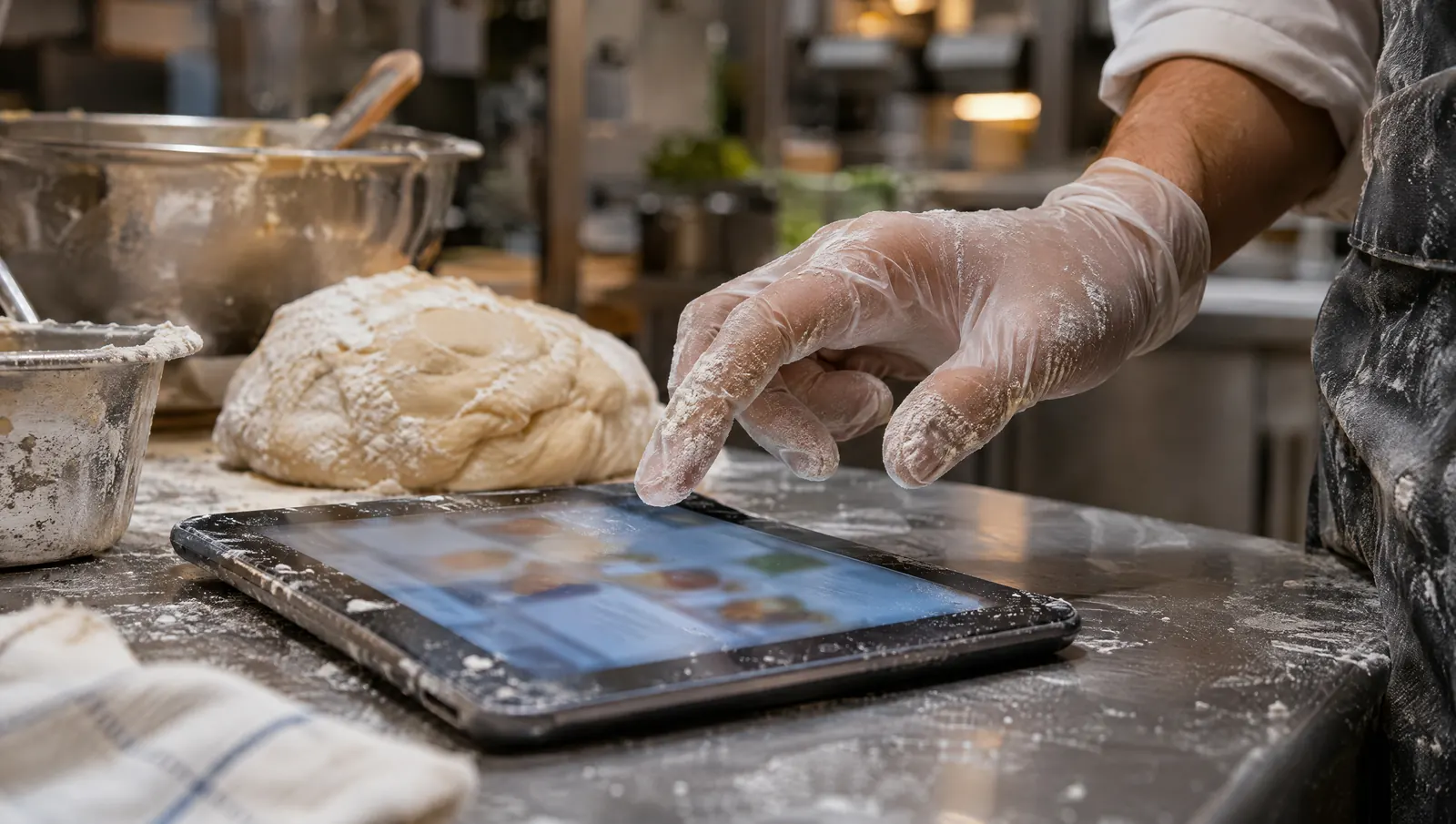
A frontline tool has to fit the real work: a temperature reading in a few seconds, in kitchen words, without taking your gloves off unless you want to. In practice, voice is offered but never imposed, each person's language is taken into account, permissions are simple and the site's own hardware is enough, with no reliance on personal phones. When office-designed software lands in a kitchen without these qualities, nobody complains. They work around it, and the binder or the group chat takes its place again.
Wednesday, 11:50 a.m., at the cold station
Inaya is breading cutlets for lunch service. Her gloves are covered in flour and egg. The tablet on the stainless steel counter shows a reminder: temperature reading for the blast chiller, due now.
She brings a gloved finger to the screen. Nothing happens. She pulls off a glove and taps the screen: it asks for a username and password. She cannot remember it. She writes the temperature on the sheet taped next to it, telling herself she will enter it later. At 3 p.m., Patrice, the head chef, types the sheet into the software, guessing at a smudged number. The screen asks him to "validate the scheduled task occurrence". He sighs.
Nobody refused the tool. Inaya lost two minutes, Patrice a quarter of an hour, and the 11:50 reading carries a number nobody is sure of. (Scene and characters are fictional.)
Why so much software is designed for an office
It is designed where it is bought
Software is often chosen by head office, in front of a computer, after a polished demo. It is then used by people standing up, in a hurry, with their hands full. In between, nobody checked whether the task takes ten seconds at the station.
Double data entry
When the tool cannot be used at the moment of the task, people write on paper and type it in later. The data exists twice, and the second copy is often less accurate than the first. The time saved by dropping paper is lost to retyping, and so is trust in the number.
Passwords and touchscreens
A complex password makes sense on an office computer. On a shared tablet used by eight people in gloves, it becomes an obstacle. Many touchscreens respond badly to gloves, and taking a glove off to tap a screen before going back to food prep is not a good hygiene habit.
Jargon
"Occurrence", "workflow", "pending validation status": this is the vocabulary of the people who built the tool. In a kitchen, people say "the lunch reading", "closing", "the bottom fridge". When Patrice has to work out what an "occurrence" is before he can validate a reading, he ends up ticking whatever gets him through.
One language, one reading level
In many kitchens, several languages cross paths, and not everyone reads with the same ease. A tool that assumes a confident reader shuts out part of the team, often the people doing the most exposed tasks. We cover this in non-native speakers in the kitchen: understanding without shame.
What adapting actually means
Each rule below can be checked in ten minutes at the cold station, during a real service.
- Speak the vocabulary of the trade. Screens and answers use the business's own words: its stations, equipment and procedures, as the team wrote them.
- Make do with short gestures. A simple task should take a few seconds, with no menus to dig through. If a reading needs five screens, the tool is wrong.
- Offer voice without imposing it. When hands are full, speaking helps. But everyone keeps the screen if they prefer. We also advise keeping voice to the kitchen and stockroom (the reasons are in what voice changes for people who work on their feet).
- Respect each person's language. A new hire should be able to understand an instruction without being embarrassed to ask again.
- Apply simple permissions. Everyone sees what their station needs, no more, without filing an access request with IT.
- Do not rely on personal phones. Someone whose battery is dead, or who would rather keep work and private life apart, should still be able to log the reading on the site tablet.
- Enter things once. What is done at the station is recorded at the station, and not retyped in the evening.
For each one, picture Inaya: gloves covered in breadcrumbs, service in ten minutes. Would she do it?
Designed for the office or designed for the station
| Situation | Office-designed software | Station-designed tool |
|---|---|---|
| Logging in | Username and password | A personal code, no password |
| Shared tablet | A session to close and reopen | A shared mode, each person with their own code |
| Hands full | Take your gloves off to tap the screen | Voice available, screen always there |
| Vocabulary | "Validate the occurrence" | "Lunch reading done" |
| Data entry | Paper, then retyping | Once, at the moment of the task |
| Network drops | The entry is lost | Entries made in the app sync when the network returns |
| Language | One, at a high reading level | Suited to the languages the team speaks |
| Permissions | All or nothing, or an IT ticket | By role and site, automatically |
| Important action | One click, no way back | Prepared, summarized, confirmed by the person |
What Tsuno holds itself to
Here is what is true in Tsuno today, so these rules do not stay theoretical.
- Login is passwordless, with a 6-digit code or a link sent by email.
- The site tablet has a shared mode: each person uses it with their own code, and it only sees its own location. The time clock on it also works with a personal code.
- The app installs on phones and tablets without going through an app store.
- In the app, entries made during a network outage sync when the connection comes back. This applies to app entries, not to the San assistant.
- The interface is in French and English. The welcome booklet is adapted to the role, the site and the language; it is drafted by AI and reviewed by you before use.
- Permissions follow role and site: everyone sees what their role and locations open up to them, no more.
- Absences, late arrivals and missed shifts are logged in one gesture, and delivery notes are photographed instead of copied out.
- Every action goes through two steps: the tool prepares and summarizes, the person confirms, and it is logged. Payroll, invoicing, permanent deletion and legal acts are excluded from the AI's actions.
For San, the intelligent voice assistant, we hold ourselves to the same rules. You can use it on screen or by voice, and it only sees what the person already sees in Tsuno. For voice, the planned hardware is a small dedicated Android device and a lightweight earpiece. Each person opens their session on that device with the location code and their PIN, so for voice they have nothing to install on their own phone. San Voice is available as a demo; the other tracks and their status are on the Tsuno San page.
What is not there yet, we say so. A voice interface that answers in each employee's own language, for example, is part of what a good tool should offer; we will only describe it as available once it is.
When the team has to move
A tool cannot absorb everything, though. If the cleaning procedure only exists in the chef's head, no software will find it. If nobody approves the sheets, the tool will share unapproved sheets. Adapting to frontline work does not mean giving up on writing, approving and holding your standards. It means that once that work is done, the tool adds no needless effort to find it again.
And sometimes, paper is the right answer. An allergen chart at the pass, a label on a container: if something works perfectly well without a screen, do not digitize it for the sake of it.
Common mistakes
- Choosing the tool from a demo in the office. Test it at the station, during service, with the people who will use it.
- Training the team on the software instead of choosing software that does not need long training.
- Making voice mandatory. A useful option becomes a burden the moment it is compulsory.
- Keeping paper "as a backup" forever. That guarantees double entry.
- Opening every permission to everyone to avoid access requests. Simplicity should not cost confidentiality.
What to measure
- The number of steps and the time for a simple task at the station (a reading, a checklist item), measured during service.
- The share of entries made at the moment of the task, rather than typed in later.
- The number of team members who use the tool without help after two weeks, per station.
Where Tsuno fits in
Tsuno is built for frontline teams, and it was built in a kitchen, at Kajirō Sushi. Its features are listed line by line on the Features page, with what is available and what is in preparation. The assistant is presented on the Tsuno San page, and our rules on permissions and data on the Trust and data page.
Further reading
This piece belongs to a series on the future of work, opened by the pillar page the future of work in hands-on jobs. On voice interfaces, read what voice changes for people who work on their feet and why talk to your tools when your hands are full. To judge software before you buy it, see how to tell whether restaurant software will save or waste time.
Key takeaways
If a reading means taking off your gloves and remembering a password, it will end up on a sheet taped to the wall. Test every tool at the station, during service, with the person who will actually do the task.
Frequently asked questions
Why is software so little used in restaurant kitchens?
Because much of it was designed for an office: passwords, double data entry, screens that respond badly to gloves, IT jargon. When a tool costs more effort than it saves, the team works around it with paper or group chats.
What does software built for frontline teams look like?
It uses the business's own words, lets you do a simple task in a few seconds, offers voice without imposing it, takes each person's language into account, applies simple permissions and works on the site's own hardware, without relying on employees' personal phones.
Do you need a password to use Tsuno in the kitchen?
No. Login is passwordless, with a 6-digit code or a link sent by email. On the site tablet, a shared mode lets each person use their own code.
Should a voice assistant be mandatory for staff?
It never should be. Voice helps when hands are full, but everyone must be able to use the screen instead. With Tsuno San, you can use the screen or your voice; San Voice is available as a demo.
How can I tell whether software will really fit my team?
Test it at the workstation, during service, with the people who will use it. Count the steps for a simple task, check whether anything has to be entered twice, and ask a team member who is less comfortable reading English or French to try it.
Keep reading
Future of work
Tsuno San: the work companion for frontline teams
Tsuno San is the voice assistant for frontline teams: procedures, tasks and checklists, on screen or by voice, within your permissions and with confirmation.
Future of work
10 changes in the restaurant of tomorrow
Information at the station, dated procedures, checks logged during the task, AI for managers: ten changes already under way, and what can go wrong with each.
Future of work
5 reasons to adopt a voice assistant, and 5 reasons not to
A voice assistant helps when hands are full and know-how is written down. It disappoints mid-rush, front of house, with no procedures or a team not on board.