
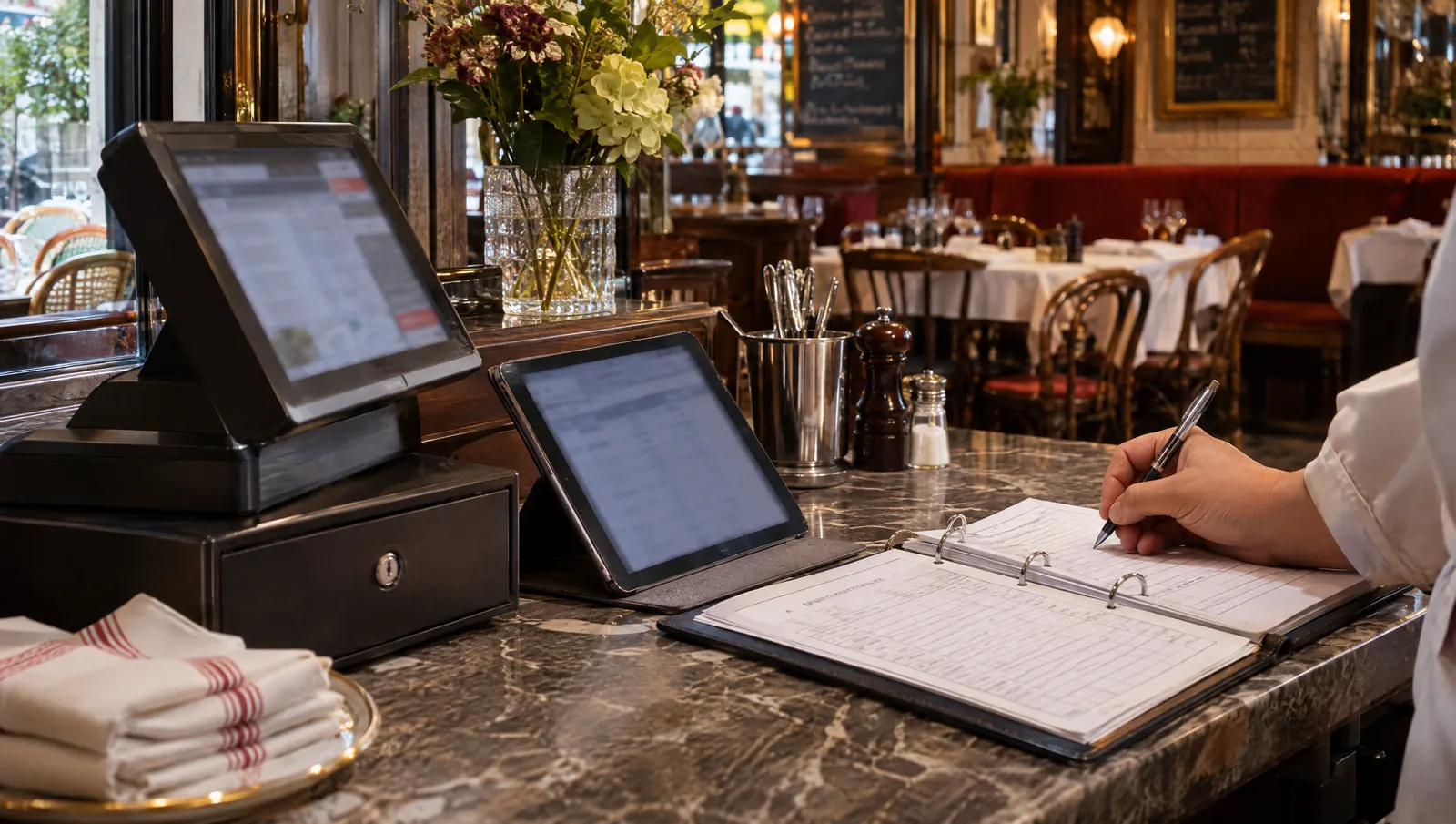
Every category of tool has a boundary. The POS takes payments, the scheduling tool organises hours, payroll calculates pay, HACCP software keeps proof of the checks, training software teaches, messaging moves the urgent stuff, and a frontline assistant finds and prepares, without ever taking a payment or running payroll. Trouble starts in the overlaps nobody has settled: the same information typed twice, or expected from a tool that was never built to provide it.
Thursday, 7:50 a.m., at the counter before opening
Clarisse opens the restaurant. She logs the fridge temperatures on the sheet in the binder, then types them again into the tablet, because the sheet is for the inspector and the tablet is for head office. A server texts to say he will be late; she moves his shift in the scheduling tool, then warns the team in the group chat, because not everyone checks the rota. A new commis asks where the cleaning sheet for the meat slicer is. She knows it is "somewhere in the training software".
By 8:20, Clarisse has done the same job three times and answered once from memory. None of her tools is bad. None of them knows where the next one stops.
Why the boundaries between tools are blurred
Every vendor widens its patch
A scheduling tool adds messaging, HACCP software adds training modules, a POS adds stock management. That is often useful. But two tools then cover the same need, and the team no longer knows which one is the reference.
The same information serves several jobs
A clock-in matters for scheduling, payroll and food safety (who did the 3 p.m. temperature check?). A sale matters for the till, stock and the labour budget. If each tool asks for it by hand, it gets typed as many times as there are tools.
We expect a tool to do what it never promised
People hope HACCP software will explain why an instruction changed, or that the rota will say who can run the hot line. That is not their job, and the disappointment then has more to do with the expectation than the product.
The assistant muddies things further
An assistant that answers in plain language looks as if it can do anything. It is tempting to ask it to ring up a sale, approve payroll or fix a log entry. A good assistant refuses, and it helps to know why.
Six categories and their boundaries
| Category | What it does well | Where it stops | Common overlap |
|---|---|---|---|
| POS | Taking payments, receipts, revenue and sales by item | Knows nothing about teams, procedures or checks | Stock, revenue per service |
| Scheduling and payroll | Planning hours, clocking in, calculating pay and filings | Does not know who masters which station, or what was checked | Attendance, team messages |
| HACCP and traceability | Logs, thresholds, cleaning, use-by dates, batches, dated proof | Does not say why an instruction exists, or who is trained to follow it | Hygiene training, checklists |
| Training | Learning paths, modules, quizzes, skill sign-off | Is not at the station during service | Procedure sheets, staff handbook |
| Messaging | Moving urgent information, fast | Keeps nothing findable: an instruction vanishes within two days | Rota, instructions |
| Frontline assistant | Finding what is written, connecting facts, preparing an action | Takes no payments, runs no payroll, replaces no source | All of them, read-only |
In this table, the assistant is the only category that should own nothing of its own. It reads what the others know, within the access rights of the person asking. If it becomes one more place where people type things in, it adds an overlap instead of removing one.
What an assistant is not
A frontline assistant takes no orders and no payments. It does not calculate pay or approve hours in a manager's place. Faced with a log entry, it shows the one that was made, or says it is missing, and never creates one. As for people, it does not judge them or decide in the manager's place.
Its useful work starts with finding the procedure for a station, today's checklist or an appliance's history. It can also link a missing temperature check to the person scheduled that day. Finally, it prepares a task or an incident report, which a person reviews and confirms before anything runs.
Drawing the boundaries in your restaurant
- List your tools by category on one page. For each, write down what the team really does in it, not what the sales sheet promises.
- For one week, note every piece of information typed twice: who, what, in which tools. That is your map of overlaps.
- For each duplicate, choose one single place of entry. The other tools receive it through a connection or a checked export, or do without.
- Write the rule in one sentence per area: "Temperatures are entered here; if in doubt, this log is the reference."
- Take instructions out of the group chat. Anything that must be found again in a month goes into a procedure or a checklist; the message only gives a heads-up.
- Set what the assistant may do: read within your rights, prepare with confirmation. Nothing beyond that.
Common mistakes
- Picking a tool for a category another tool already covers, without deciding which one stays in charge.
- Keeping the paper sheet and the tablet "to be safe", with no end date.
- Putting instructions in the group chat because that is where the team reads.
- Asking the assistant to correct a figure in the source instead of reporting it.
- Judging a tool on something it never promised, then replacing it with another that does not promise it either.
What to measure
- The number of pieces of information typed twice per week, before and after.
- The number of places where the same instruction lives: one is the target.
- The time it takes to answer a question that spans two categories, such as "who was on the station when the 3 p.m. check was missed?".
Where Tsuno and San fit
Tsuno covers several of these categories, and saying so avoids misunderstandings. According to its features page, it handles the weekly schedule, clock-in, leave and hour balances; checklists, temperature logs with thresholds, other HACCP logs, use-by labels, goods-in checks and batch traceability; onboarding paths, training modules and skills; and internal team messaging by channel. It replaces neither the POS nor payroll.
For POS and payroll, the statuses are public and exact on the integrations page. One POS is connected: its revenue, receipts and sales by channel arrive without retyping. Other POS systems publish a documented API, with no Tsuno connector yet. On payroll, one provider is connected to read the monthly payroll cost, read-only, and another receives the hours clocked in Tsuno in its own import format, ready for the payroll bureau. One HR tool is API-ready, with no connector yet. Without a connector, your CSV or Excel exports are enough: Tsuno shows a preview, and nothing is imported without your approval.
San, the intelligent, voice-enabled assistant for teams, is linked to that environment and follows the two-step rule: it prepares, the person confirms. Payroll, invoicing, permanent deletion and legal acts stay out of its reach, even when confirmed. San Voice is available as a demo; the rest is on the Tsuno San page.
Further reading
To decide whether one more tool is justified, read do restaurants really need another software tool?. On the scope trap, see why "all-in-one" is often a weak software promise. On where the assistant's boundary lies, conversational assistant or job assistant: where is the line? and AI proposes, a human confirms: the two-step rule. And for the place of voice in all this, why voice alone is not enough. The pillar page Tsuno San, the work companion for frontline teams describes the assistant's role, and what a field tool must keep doing without a network completes the list of questions to ask.
Key takeaways
Every tool has a job and a boundary, and the cost shows up wherever two tools overlap without anyone deciding. A frontline assistant works within your access rights from the existing sources, without taking payments or running payroll in their place.
Frequently asked questions
What is the difference between HACCP software and a scheduling tool?
HACCP software keeps the proof that food safety checks were done: temperature logs, cleaning, batch traceability. A scheduling tool organises who works when and counts the hours. They meet at one point: knowing who was on shift when a check was due.
Can an AI assistant replace my POS or my payroll software?
No. An assistant reads information and prepares actions; it does not take payments or calculate payroll. In Tsuno, payroll, invoicing, permanent deletion and legal acts are excluded from the assistant's actions altogether, even with confirmation.
How do I avoid entering the same data twice across restaurant software?
Decide on one single place where each piece of information is entered, then pass it on through a connection or a checked export. For one week, note every piece of information typed twice: that list is where to start.
What is a frontline assistant for if it replaces no software?
For finding and connecting what is already written elsewhere, without switching screens: the procedure for a station, today's checklist, an appliance's history. It saves searches and interruptions, not a software subscription.
Should a restaurant run on a single piece of software?
Not necessarily. Several well-bounded tools, with agreed boundaries and data flows, often beat a single tool that is half used. What costs you is the overlap nobody decided on, and the retyping.
Keep reading

AI and tools
Does Tsuno replace your scheduling, HR or HACCP software?
No, not on day one. Domain by domain, you decide what stays the source of truth, what is imported with validation and what can be phased out over time.

AI and tools
MCP: connecting your AI to your business, explained for frontline trades
MCP is a standard plug between an AI assistant and a business's tools. What it changes for a restaurant, what to demand, and which risks to avoid.
AI and tools
No network? What a field tool must keep doing
Without a network, temperature logs, checklists and critical procedures must keep working. The assistant and voice can stop, as long as the team knows.